Loudspeaker designer

Design a loudspeaker that really performs.

Loudsmith takes you through the whole design: it picks the drivers, calculates the enclosure and the crossover, draws the plans and builds your shopping list. All in the browser, checked instantly against hi-fi targets.

Free No sign-up Desktop, tablet and phone

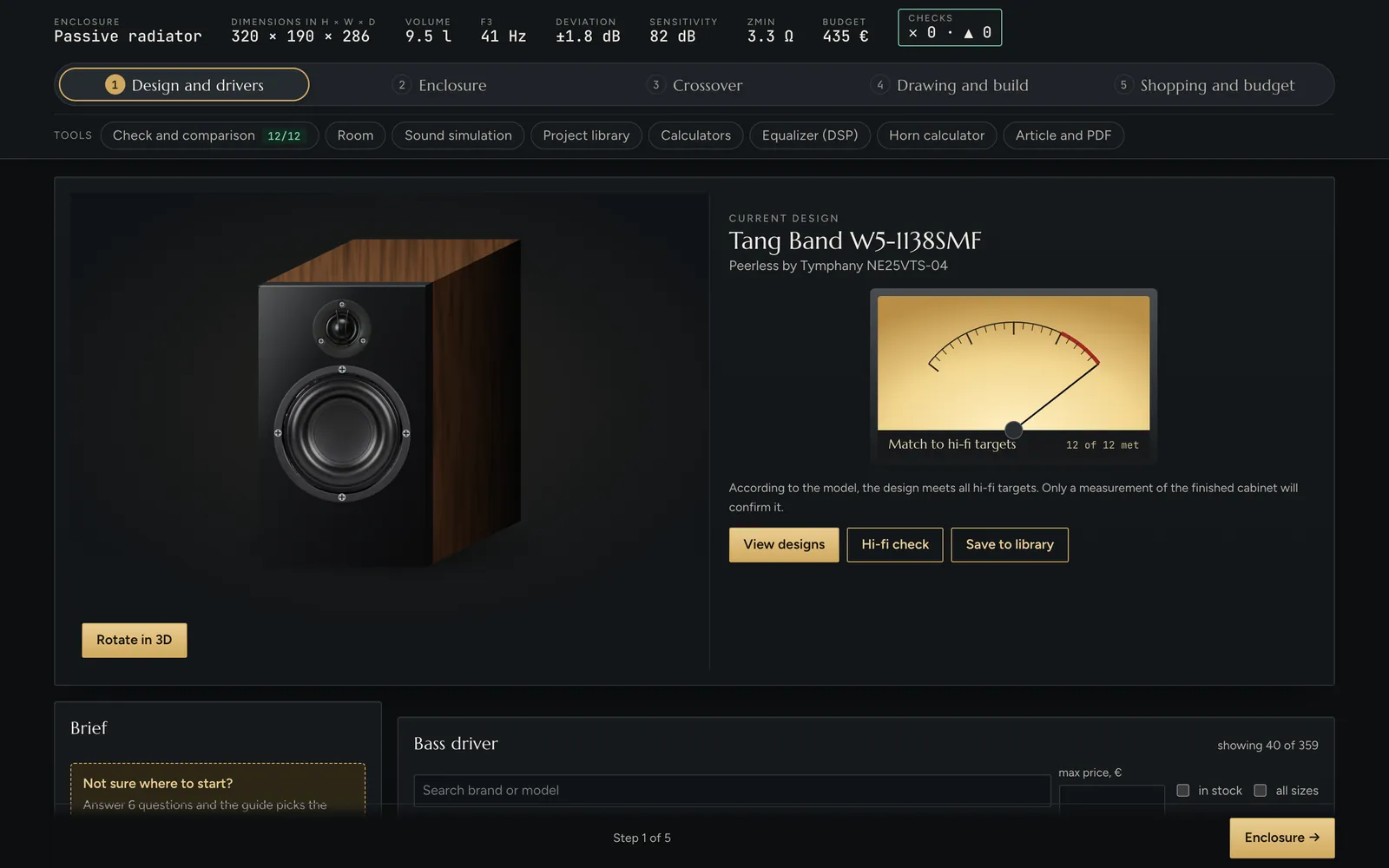
The Loudsmith app with a bookshelf speaker design and a needle meter showing how well it meets hi-fi targets
1 604drivers in the catalogue
7enclosure types
21automatic checks
11languages

Workflow

Five steps from an idea to a finished speaker

Each step builds on the one before. Change anything and the app instantly recalculates the enclosure, crossover, drawing and budget.

01

Design and drivers

Tell it what the speaker should do: bookshelf, tower or subwoofer, how many ways, how big, how loud and where it will stand. The app picks the drivers from the catalogue that fit your brief best.

  • A six-question design guide and ready-made templates
  • 1,604 drivers with complete T/S parameters, filters and sorting
  • Tweeters and midranges ranked by how well they match the woofer
  • Enter your own driver with every parameter
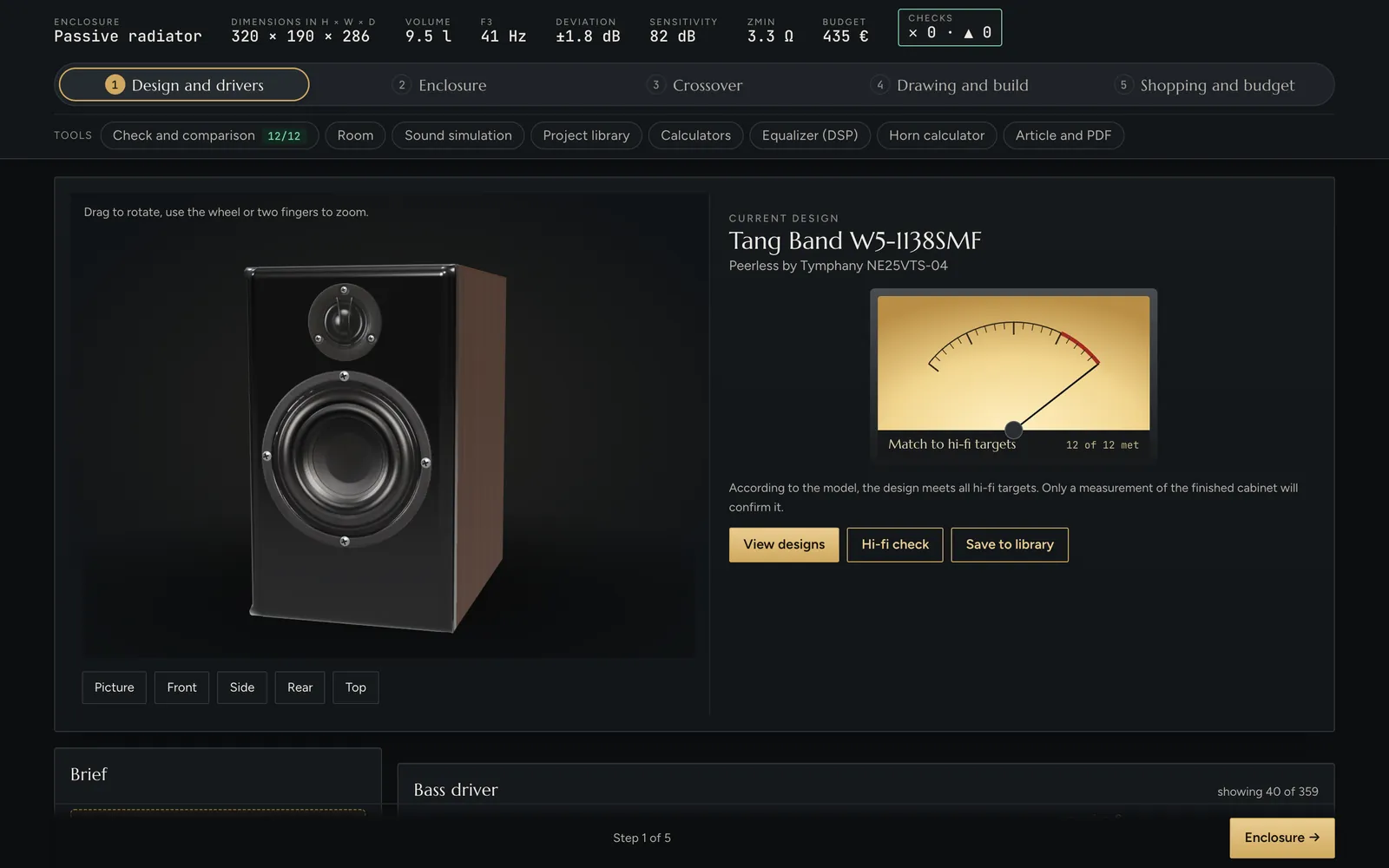
3D model of the designed speaker in walnut veneer with the hi-fi target meter
02

Enclosure

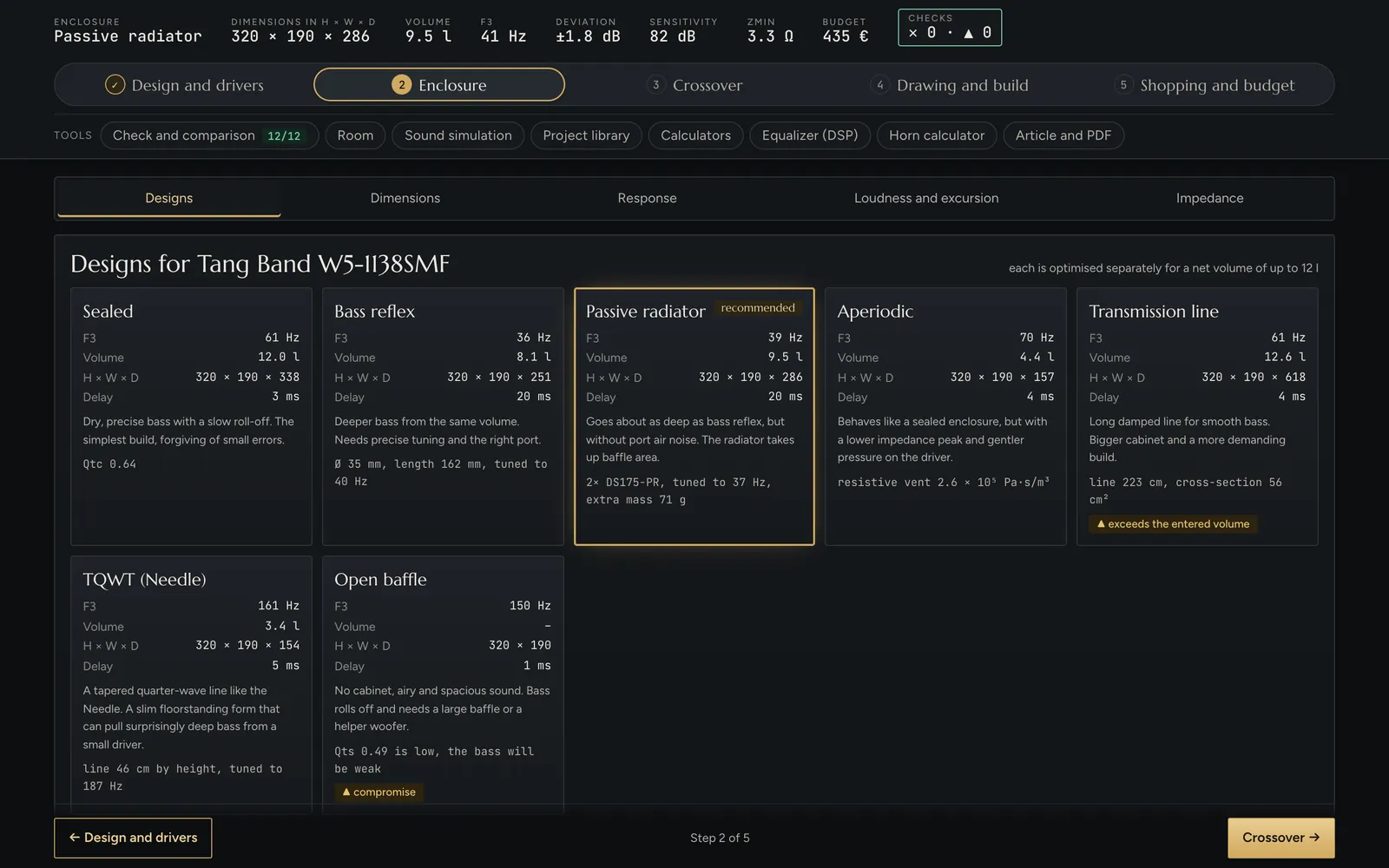
For the chosen driver the app optimises seven enclosure types at once and shows which one works best. Lock any dimension and the rest is calculated.

  • Sealed, bass reflex, passive radiator, aperiodic, TL, TQWT and open baffle
  • Frequency response, maximum SPL, impedance, excursion and group delay
  • Port tuning with air speed and pipe resonance, radiators from the catalogue
  • The effect of wall placement and baffle-edge diffraction
Comparison of seven enclosure types with the recommended design highlighted
03

Crossover

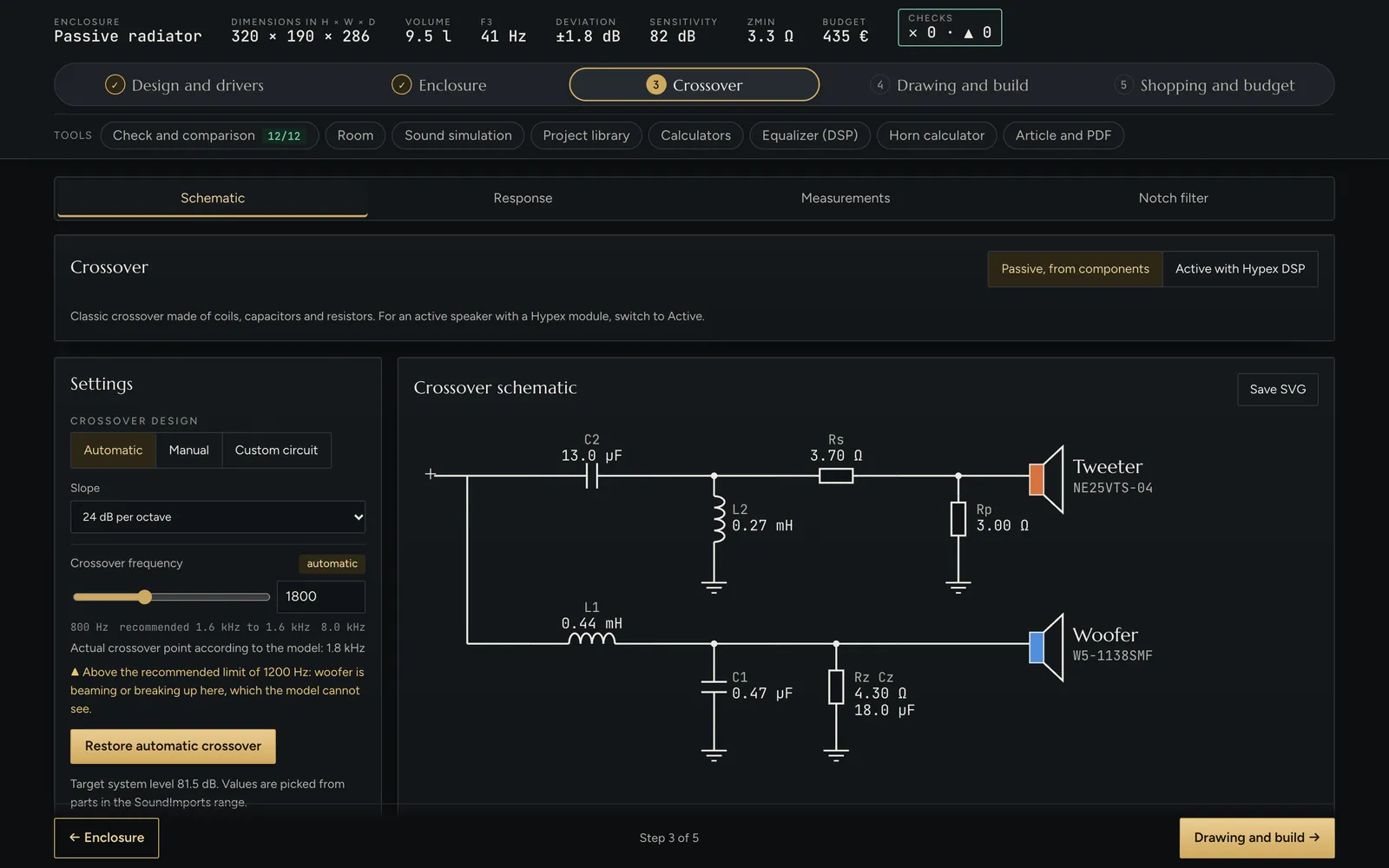
It designs the passive crossover automatically from parts that are actually on sale, or you refine it by hand in a free-form network editor. FRD and ZMA driver measurements replace the model.

  • Slopes from 6 to 24 dB per octave, Linkwitz-Riley targets, polarity inversion
  • Zobel, impedance-peak compensation, L-pad and notch filter
  • Coil and capacitor values from the shop's range, including coil resistance
  • Schematic download as SVG
Passive crossover schematic with components and crossover frequency settings
04

Drawing and build

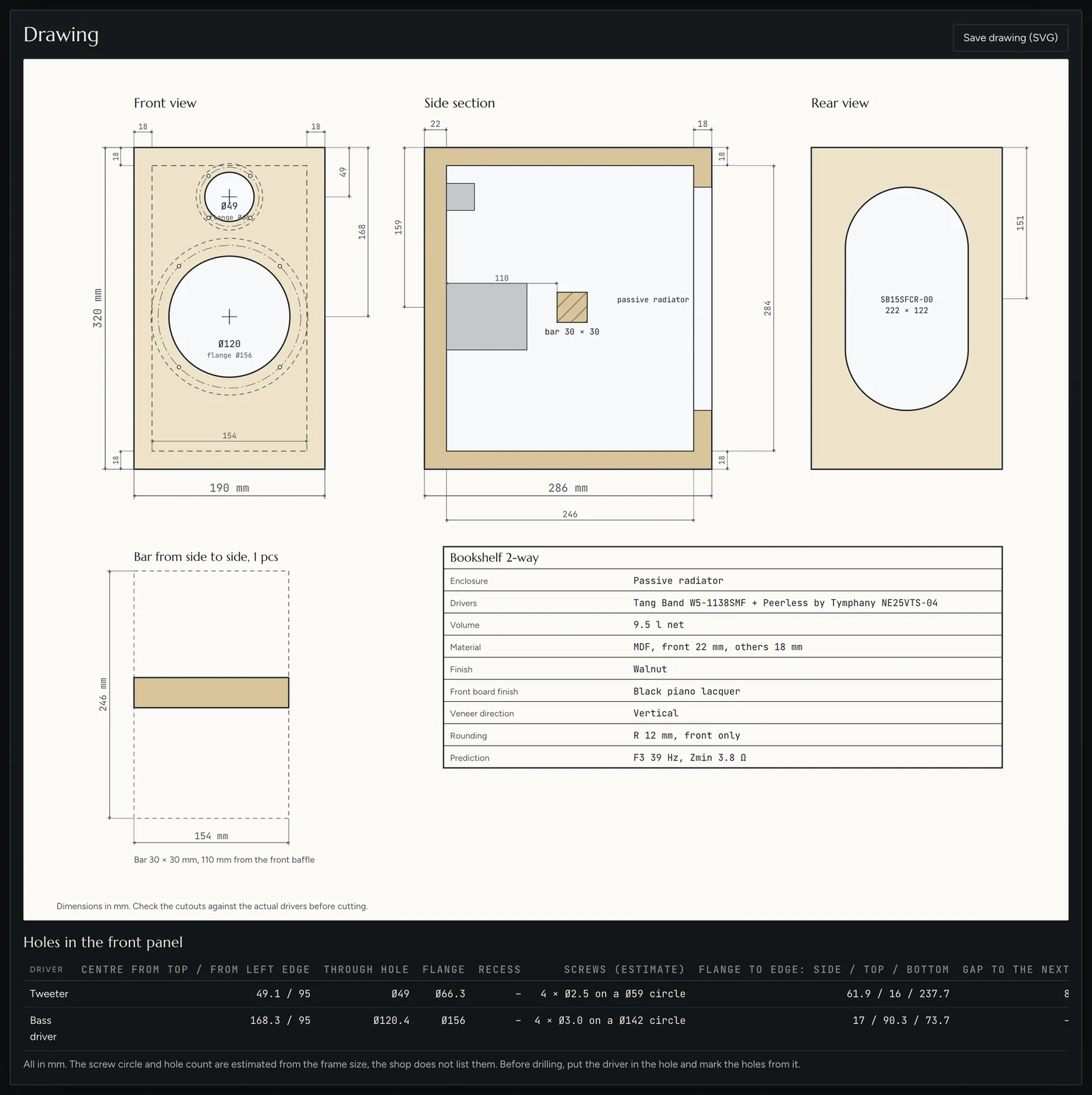
You get a workshop drawing with views and a section, a hole table for the front baffle and a cut list for the panels. Plus step-by-step build instructions for your enclosure type.

  • Six materials, eight finishes, rounded edges and recessed drivers
  • Braces in five styles with automatic placement
  • Cut list as CSV and drawing as SVG
  • Photos of your own drivers right on the 3D model
Workshop drawing of the speaker with front view, section and hole table
05

Shopping and budget

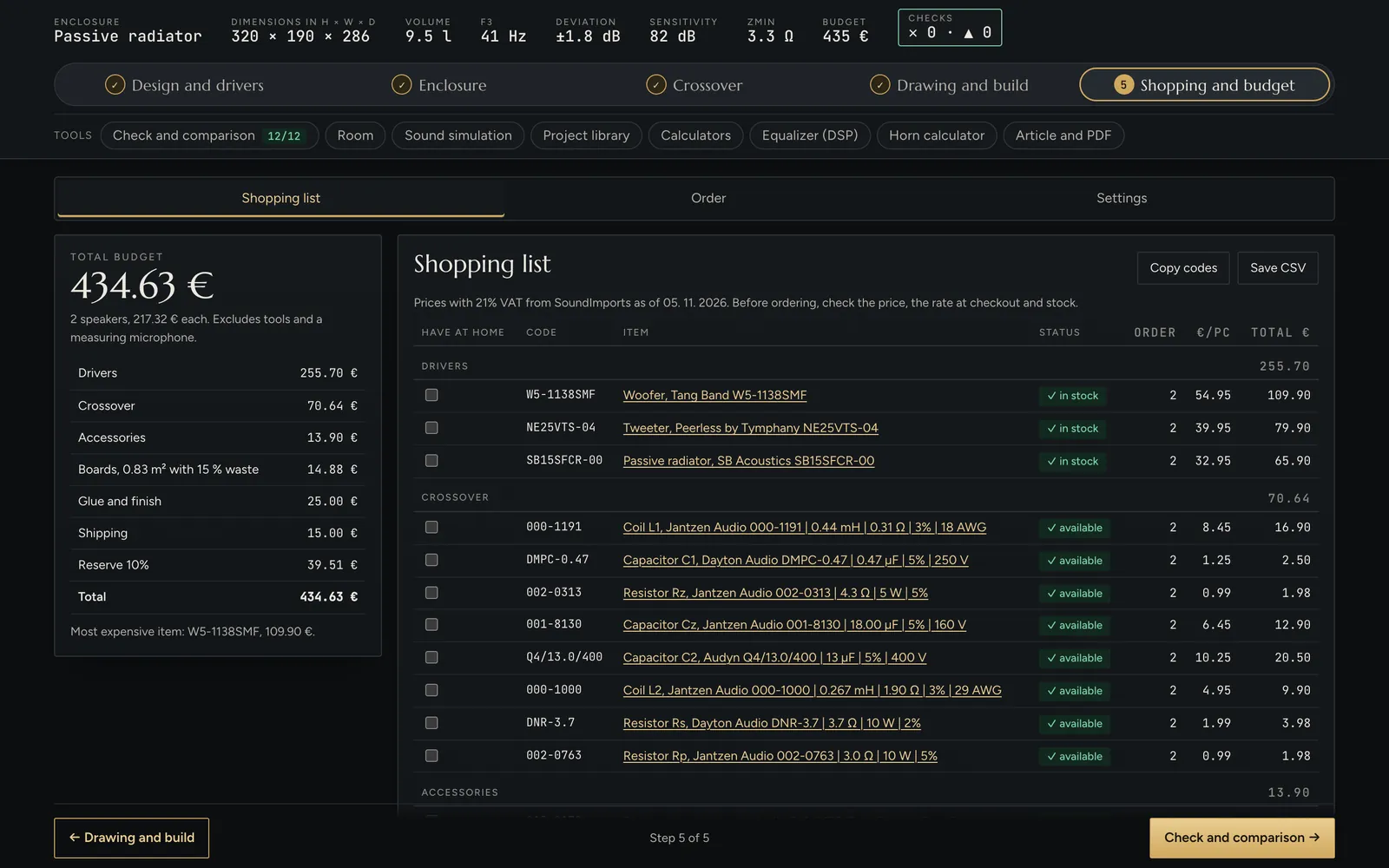
The complete shopping list with codes, prices and stock in one view. Tick what you already have and the budget updates at once.

  • Drivers, crossover parts, terminals, damping and the port tube
  • Prices with or without VAT, number of speakers, board, shipping and reserve
  • A budget limit with a gauge of how much is left
  • Order list to share, email, CSV or TXT
Shopping list with prices, stock and the total budget

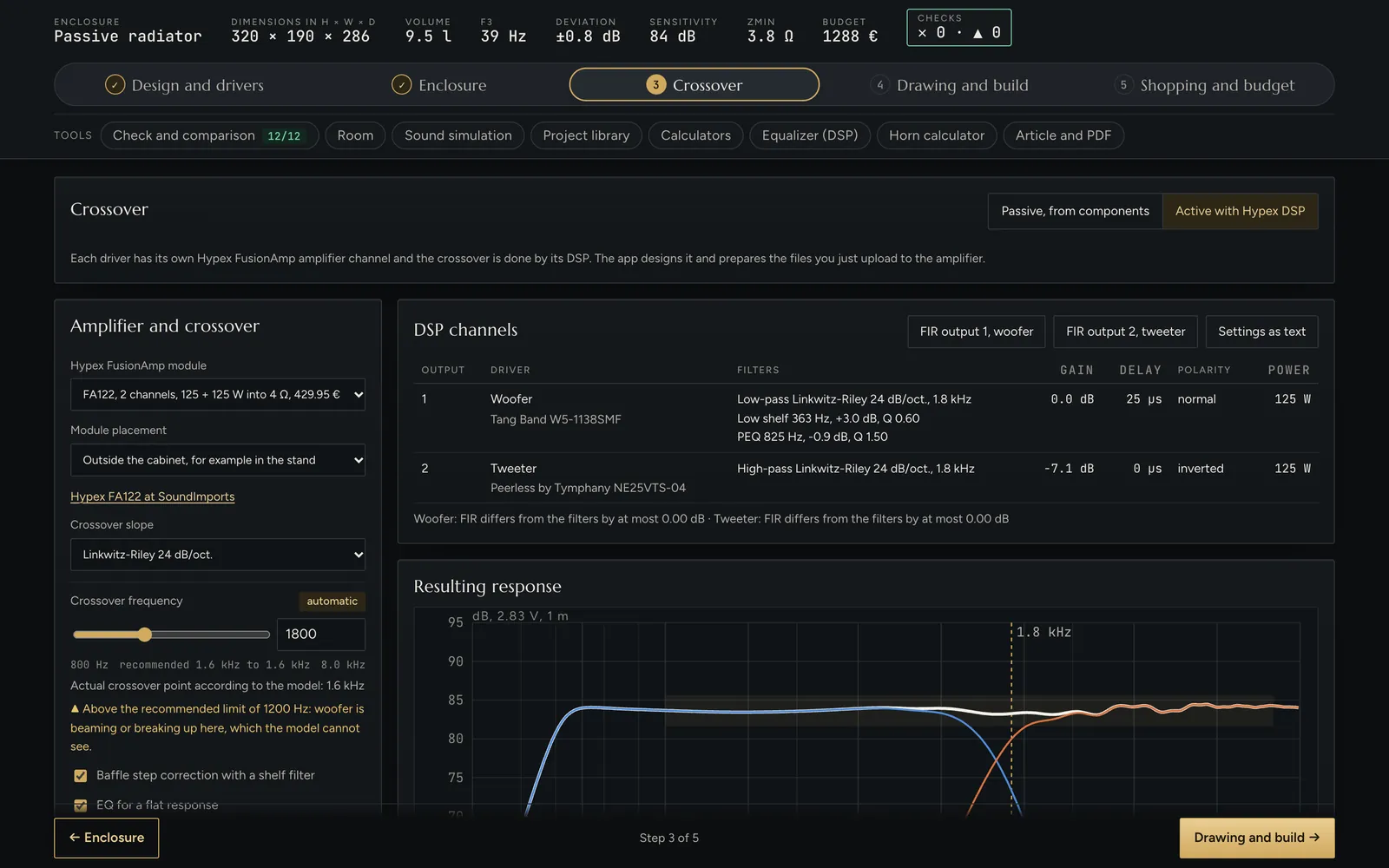
Active speakers with DSP

Hypex FusionAmp instead of a passive crossover

Each driver gets its own amplifier channel and a digital processor does the crossover. The app picks the module, designs the filters and prepares the files you simply load into the amplifier.

  • Eight FusionAmp modules, from 2 × 125 W to a 3-channel 500 W
  • LR2, LR4, LR8 and Butterworth filters, delay, gain and polarity per channel
  • FIR export for Hypex Filter Design with loading instructions
  • Checks whether the module fits on the rear panel or goes in a stand
FA122FA123FA251FA252FA253FA501FA502FA503

Passive or active crossover? →

Active crossover settings with a Hypex FusionAmp module and DSP channels

See it and hear it first

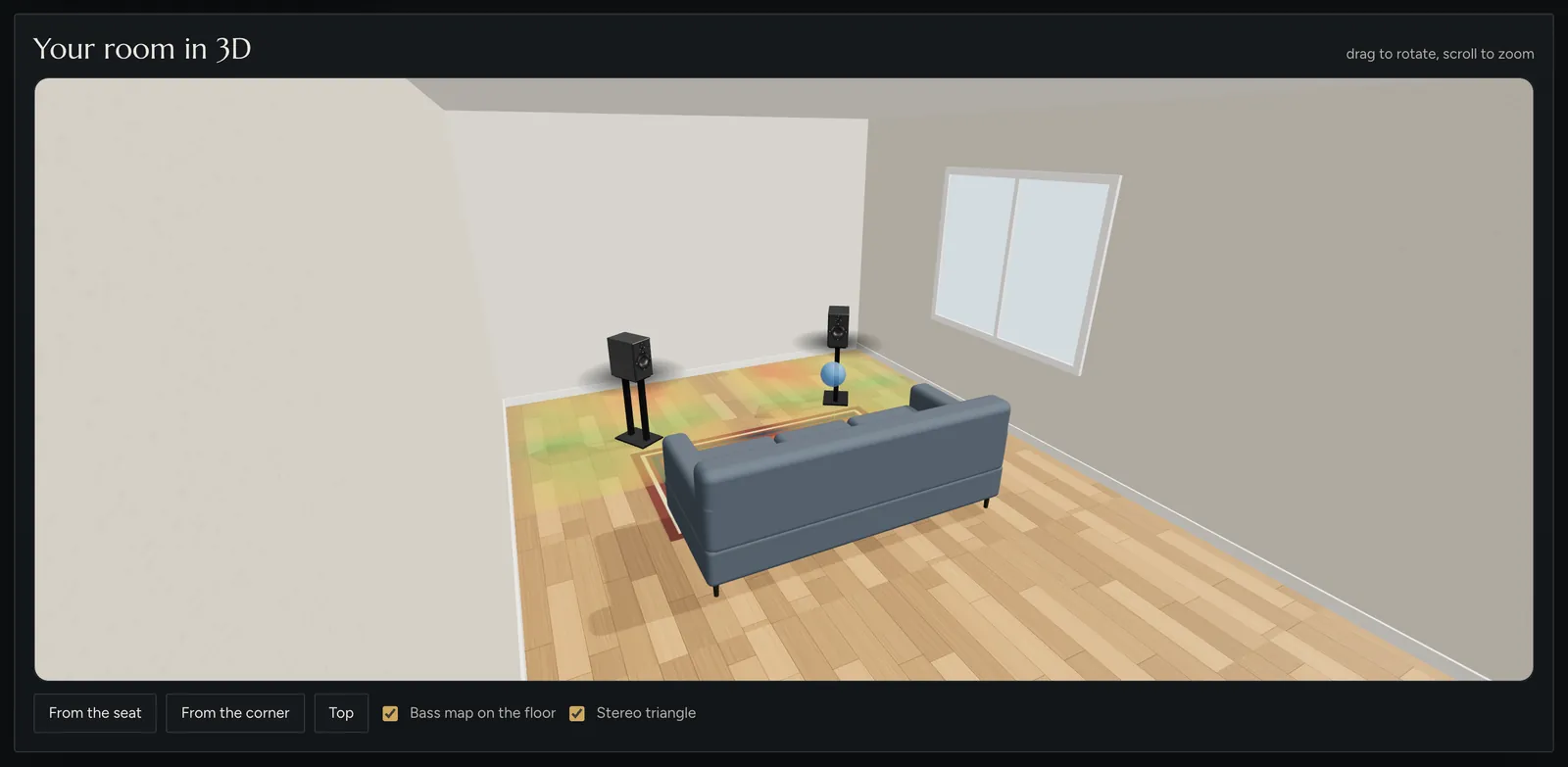
The speaker in 3D, your room and the sound before you build

Rotate the cabinet model in space, place it in your own room and listen to how its response shapes your music.

Your room in 3D
Your room in 3DEnter the room size and reverberation time. The app finds the best spot for the speakers and the seat, shows a bass map on the floor and the stereo triangle.
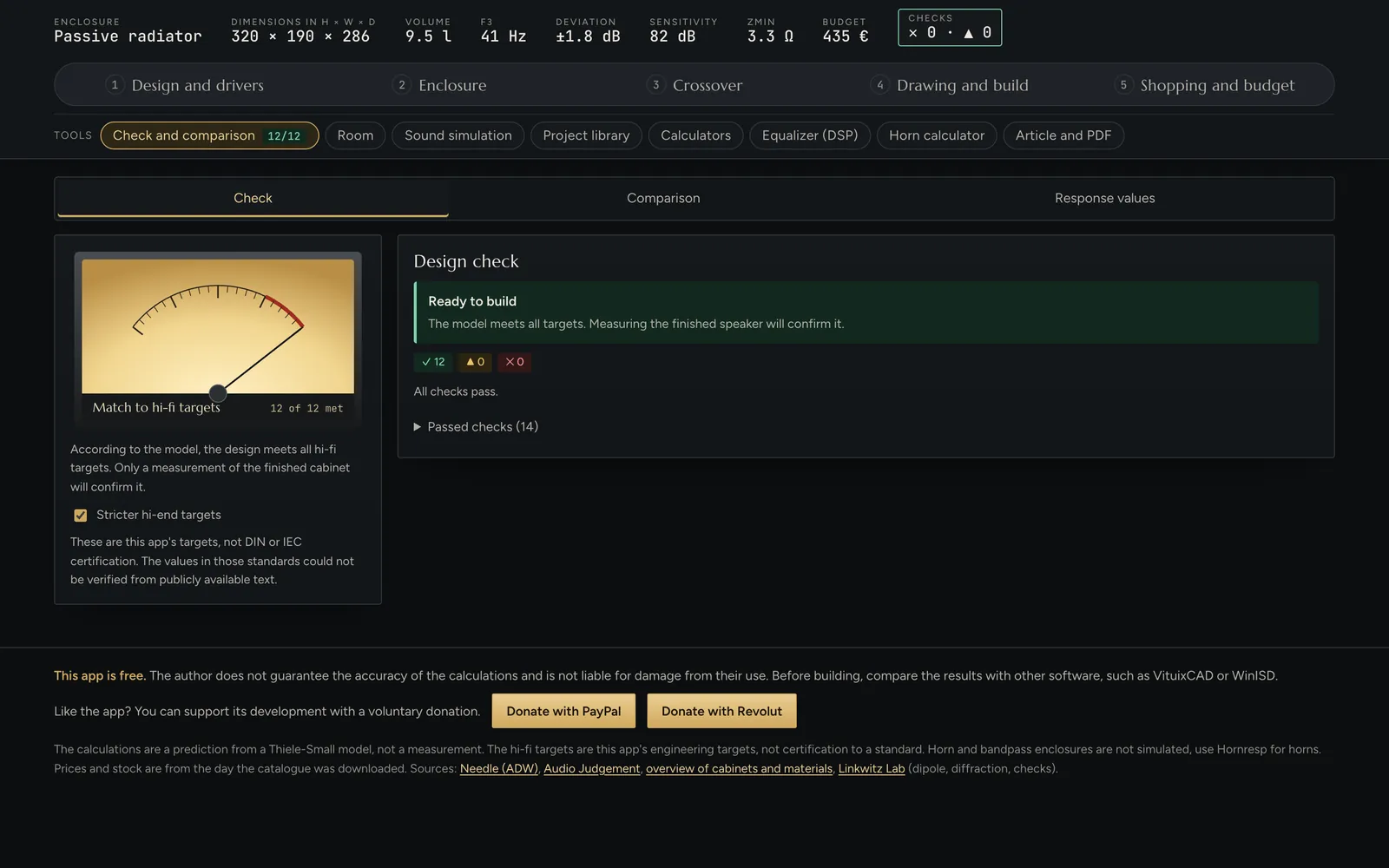
Checked against hi-fi targets
Checked against hi-fi targetsUp to 21 automatic checks, from the bass limit to diffraction and port air speed. For every problem it offers a concrete fix.

Tools

Everything a designer needs, in one place

Besides the five steps the app has eight tools that work directly with your design.

Check and comparison

Hi-fi checks, a search for the best fix and a comparison with the Needle and Audio Judgement speakers.

Room

Room modes, wall reflections, optimal placement and a 3D room with a bass map.

Sound simulation

Play music through your design's response and switch while it plays to compare.

Project library

Your saved designs and proven builds by well-known designers, opened in one click.

Calculators

Nine calculators: L-pad, Zobel, notch, baffle step, cable, SPL and more.

Equalizer (DSP)

Automatic parametric EQ from the model or a REW measurement, for Equalizer APO.

Horn calculator

Five waveguide profiles with section, dimensions and throat impedance, profile export as CSV.

Article and PDF

The whole project as an illustrated article with charts, drawing and shopping list, ready to save as PDF.

Honest about accuracy

The calculations use a Thiele-Small model with baffle diffraction. It is a reliable estimate, not a measurement: the model does not know cone breakup, distortion or off-axis radiation. We recommend fine-tuning the finished crossover with FRD and ZMA measurements, which the app can load.

Start now

Your next loudspeaker starts here

No installation and no sign-up. Your design is saved in the browser and you can export it.

Launch the app

Join our Facebook group →